USB-to-CAN Adapter
The computer talks to the motor drivers over CAN, through a USB-to-CAN adapter. In this course we use the CANable V2.0 Pro USB to CAN module from Makerbase (MKS), which is based on the open-source CANable.
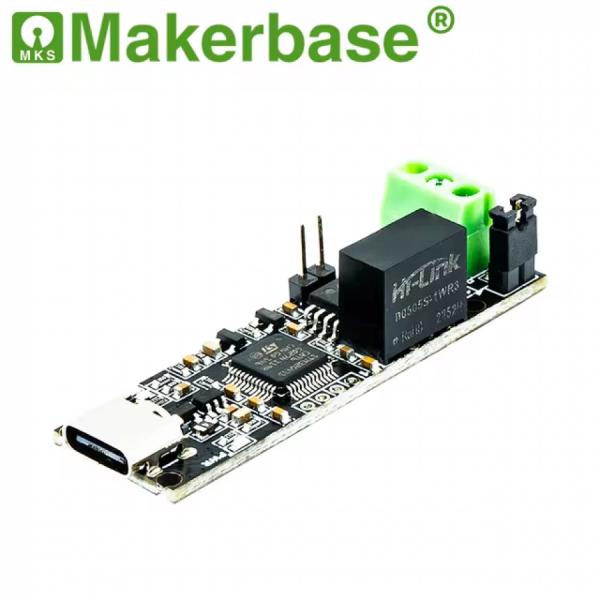
CANable V2.0 Pro USB to CAN module (image: Makerbase)
Firmware: slcan vs. candleLight
The adapter ships with slcan firmware, which is slower than SocketCAN.
We recommend flashing it with the candleLight firmware instead. With candleLight, the adapter shows up on Linux as a native SocketCAN interface (for example can0), so you can use it directly with standard Linux CAN tools and libraries.
| Firmware | Interface on Linux | Recommended |
|---|---|---|
| slcan (stock) | Serial device, set up through slcand |
|
| candleLight | Native SocketCAN interface (can0) |
✓ |
Flashing candleLight
Follow the Updating Firmware instructions on the CANable website. The easiest way is the CANable Updater web app in Google Chrome.
CANable: Getting Started CANable Updater
After flashing, plug the adapter in and bring up the CAN interface on Linux, for example:
sudo ip link set can0 up type can bitrate 500000
The bitrate must match the CAN bitrate configured on your motor drivers.